Ad Fetch API
Overview
The fetch API returns one rendered ad for a moment in your application. It is the single serving endpoint behind AdKit; you can also call it directly.
GET is also supported, with the same parameters passed as query strings.
Authentication
Pass an API key as a query parameter (?key= or ?apikey=) or as an
Authorization: Bearer <key> header. API keys are not accepted in the
request body — credentials stay out of message payloads by design.
Use a per-application fetch key (the dataplane credential shown under
API Keys in the Console) for serving. A fetch key carries an application
context, so when you omit adUnit the request resolves that application's
default placement. Management keys authenticate too, but resolve to an
org-scoped default.
Request parameters
| Parameter | Type | Description |
|---|---|---|
adUnit |
string | Optional. Code of the ad unit (moment) to fill. Omit it and the request serves into your application's default placement, lazily provisioned on first use — a brand-new account fills with zero configuration. Supply a code only if you manage explicit ad units in Offer Manager. |
format |
string | Rendering format for the response payload (e.g. direqt, sms). Defaults to direqt. |
subscriber |
string | Optional opaque, application-assigned end-user id. Enables frequency capping and unique-reach reporting. Never use personal data (emails, phone numbers) as the id. |
attributes |
object | Optional key/value targeting attributes evaluated against your line-item rules. Body only; in query strings use the leading-dot form (.tier=gold). |
context |
string or array | Optional conversational context used to improve ad relevance. See below. |
test |
any | If non-zero, marks the fetch as a test: it is excluded from reporting and the response includes rule-by-rule disqualifications. |
The context parameter
context carries the conversation the ad will appear in — the signal a
conversational ad server selects on. Two forms are accepted:
{
  "adUnit": "my-ad-unit",
  "context": [
    { "role": "user", "text": "any gift ideas for a coffee lover?" },
    { "role": "assistant", "text": "A few! What's your budget?" }
  ]
}
- Either a plain-string summary or an array of
{ role, text }turns (roleis optional and defaults touser). This is the same shape the AdKit SDK and MCP tools send for you. - Content beyond 4KB (UTF-8) is truncated; send a summary or the most recent turns rather than a whole transcript.
- Malformed values are ignored — the fetch still succeeds, without context.
Context improves ad relevance; it is not stored. The text is used at serve time to choose the ad and is then discarded: it is never written to our journals, analytics events, or logs. The serving decision record keeps only a one-way hash and the byte length of what was received. There are no cookies, no cross-site profiles, and no accumulated user history — the serve-time conversation is the targeting signal.
When context is provided, selection is semantic: the conversation's meaning is matched against candidate ads (embedding similarity), and an appropriateness check can decline to serve any ad at all in sensitive moments — such as a health crisis, grief, or a heated support conversation — returning a normal no-fill (204) instead.
When a line item has multiple creatives, rotation is adaptive: creatives that earn more engagement (clicks, flow interactions) are automatically served more often, while every creative keeps receiving a share of exploration traffic. Line items configured for sequential rotation are not affected. Ads with daily budgets are paced evenly across the day.
Response
{
  "messageId": "direqt-6a3f…",
  "format": "direqt",
  "payload": { "…rendered ad for the requested format…" },
  "properties": {}
}
| Field | Description |
|---|---|
messageId |
The fetch id (a direqt-<uuid> string — a retained legacy wire identifier). Pass it as fetchEventId when reporting ad events to tie deliveries, clicks, and conversions back to this impression. |
payload |
The rendered ad, in the requested format. Pass it to your messaging surface without inspection. |
properties |
Optional extra creative properties. |
A 204 response means no ad was eligible for this request (targeting,
frequency caps, or availability). Client errors return 4xx with a JSON
body containing reason and description.
Testing
Sandbox — a guaranteed sample ad
For a response that always fills — regardless of account state or available demand — send the reserved sandbox value. It's handy in a test harness where you want a deterministic card:
curl -X POST "https://ads.advertising.chat/v1/fetch/v2?key=YOUR_FETCH_KEY" \
  -H "Content-Type: application/json" \
  -d '{"adUnit": "__sandbox__", "context": "anything at all"}'
You'll always get a 200 with a Sponsored disclosure that renders a demo
card like this:
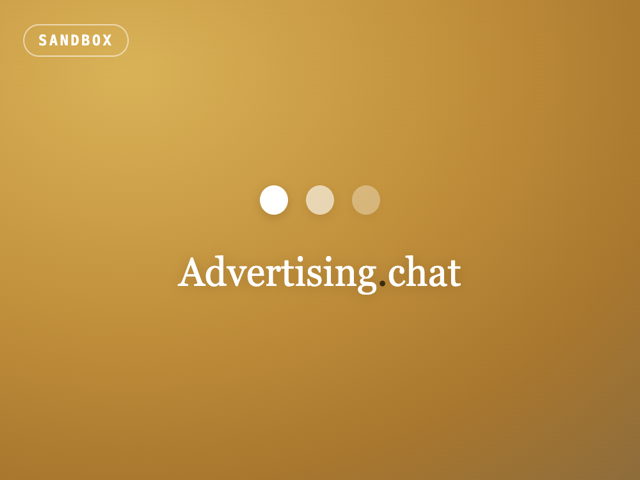
The sandbox short-circuits selection and records no impression, click, or
billing events, so it's safe to call repeatedly. In the SDK the same value is
exported as SANDBOX_AD_UNIT.
Diagnosing a no-fill
A 204 from a live fetch is normal — there was simply no good ad to show. To
see why, add ?debug=1 (or the header X-Adchat-Debug: 1). On a no-fill
the request returns 200 with { "filled": false, "reason": "...", "message":
"..." } instead of a bare 204. Reasons include frequency_capped,
appropriateness_suppressed, and no_demand. In the SDK, fetchAdDebug()
returns the same result. Default production responses are unchanged — debug is
opt-in per request.